
How Shipping Is Calculated for Bundle Products
Short answer: Shopify calculates shipping for bundles based on each individual product inside the bundle - not the bundle itself. The final shipping cost is the total of all the shipping rates from each product's shipping profile.
How does Shopify handle shipping for bundles?
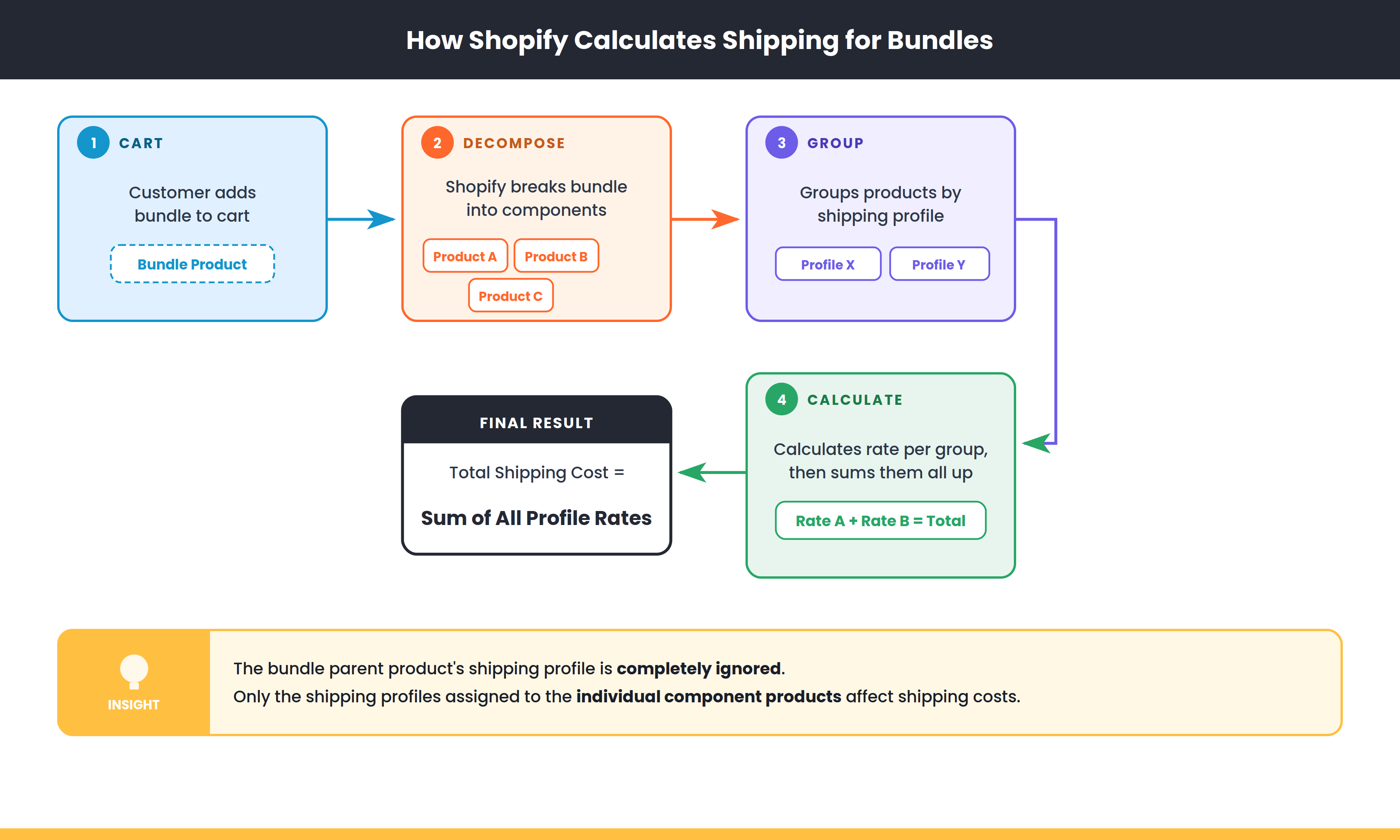
When a customer adds a bundle to their cart, Shopify breaks it down into the individual products (the "components") inside that bundle. Shipping is then calculated based on those individual products, not the bundle as a whole.
This means the shipping profile you've set on the bundle parent product doesn't matter for shipping calculations - only the shipping profiles on the component products count.
How the shipping math works
Here's what happens at checkout:
- Shopify looks at each product in the bundle individually
- It groups them by their shipping profile
- It calculates the shipping rate for each group
- The final shipping cost = the total of all those rates added together
A quick example
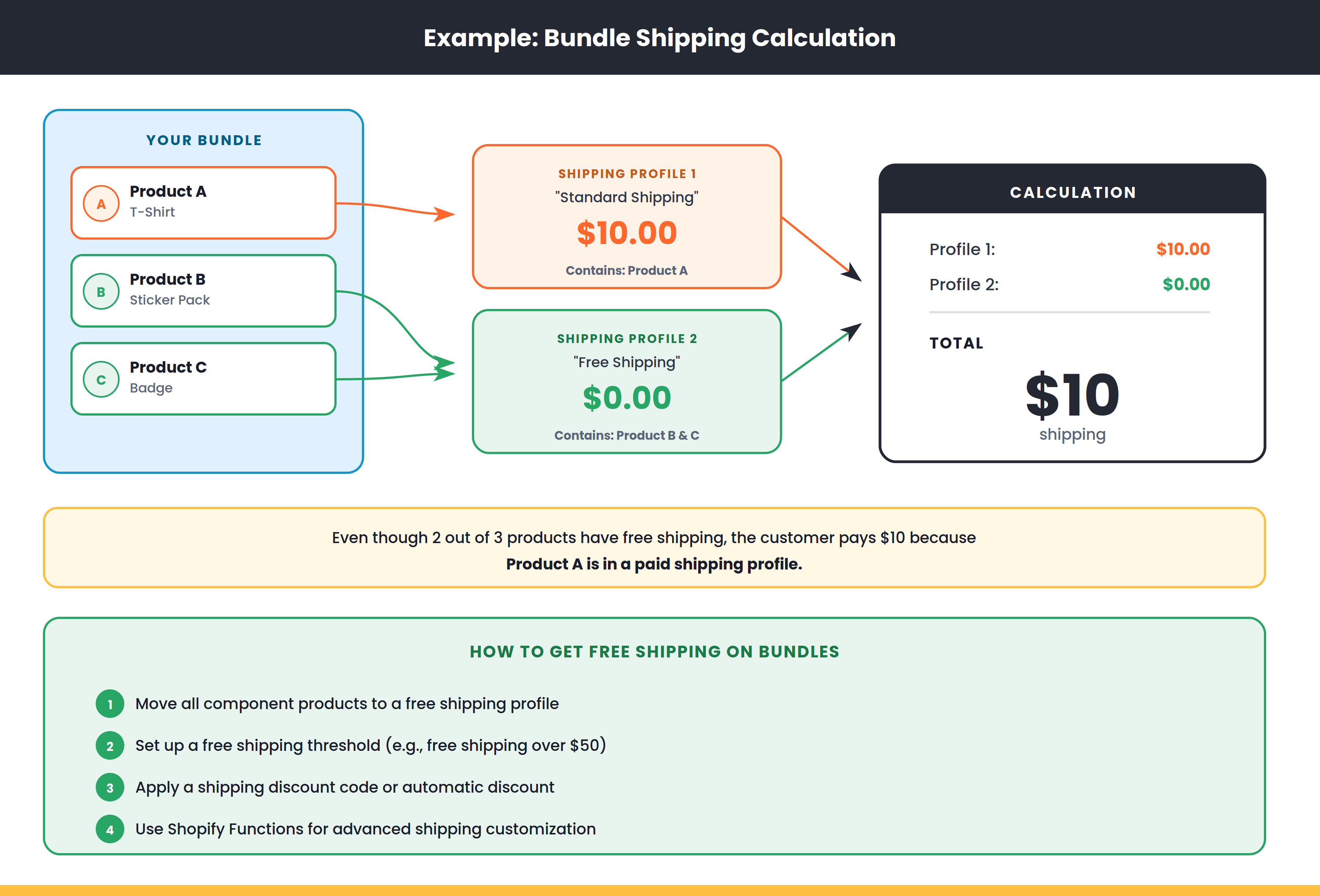
Let's say you have a bundle with three products:
- Product A - assigned to a shipping profile with a $10 rate
- Product B - assigned to a shipping profile with free shipping ($0)
- Product C - assigned to the same free shipping profile as Product B
At checkout, Shopify groups them:
- Group 1 (Product A's profile) = $10
- Group 2 (Product B and C's profile) = $0
Final shipping cost = $10
Even though two out of three products have free shipping, the customer still pays $10 because of that one product in a paid shipping profile.
What this means for your store
There are a few things worth keeping in mind:
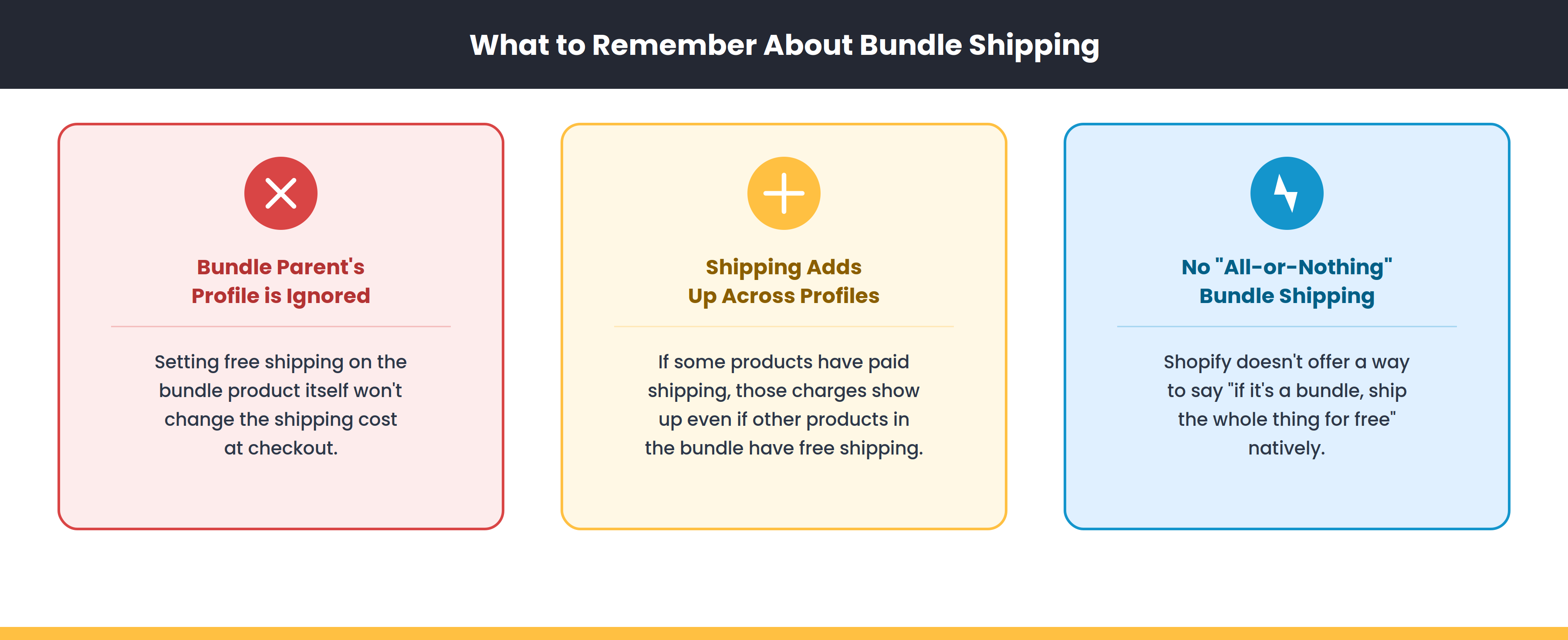
- The bundle parent's shipping profile is ignored - Setting "free shipping" on the bundle product itself won't affect the shipping cost at checkout
- Shipping adds up across profiles - If some products have paid shipping, those charges will show up even if other products in the bundle have free shipping
- There's no "all-or-nothing" bundle shipping - Shopify doesn't offer a way to say "if it's a bundle, ship the whole thing for free" natively
How to get free shipping on bundles
If you want your bundles to ship for free, here are a few options:
- Assign all component products to a free shipping profile - If every product in the bundle has a $0 shipping rate, the total will be $0
- Set up a free shipping threshold - Create a price-based shipping rate in Shopify that offers free shipping above a certain order total
- Use a shipping discount - Apply a discount code or automatic discount that covers shipping
- Use Shopify Functions - For more advanced setups, a shipping customization function can override rates at checkout
Questions?
If you need help setting up shipping for your bundles, reach out to us at support@foxsell.app and we'll get you sorted.
Updated on: 19/03/2026
Thank you!